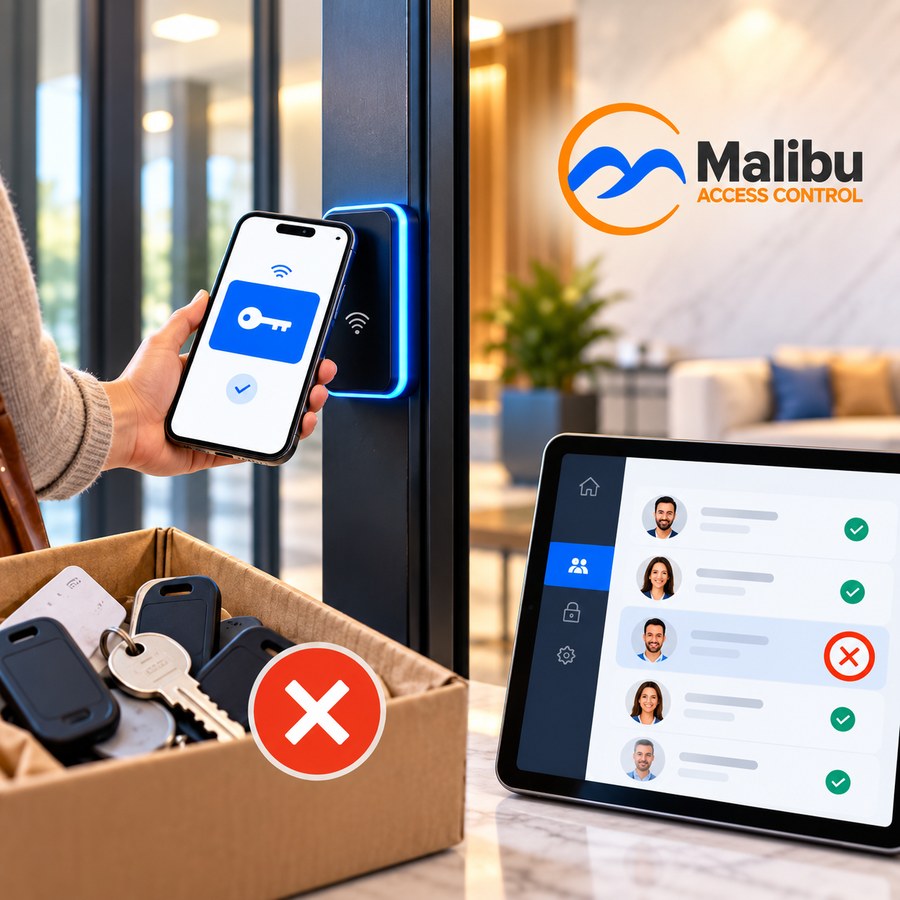
Every lease that ends leaves behind a question most property managers never fully answer: did every key, fob, and code that resident had actually stop working?
In an apartment or condo community, that question comes up all the time. An office building deals with employee turnover a few times a year. A multi-family property deals with resident turnover as a normal part of doing business. And every move-out is a set of access rights that has to be shut off — the fitness room, the pool, the package room, the laundry, the garage, and every other shared door that resident used.
When those doors run on keys, an aging fob system, or a shared keypad code, that work is manual, it’s rarely complete, and it never shows up as its own line item. It just quietly costs money, over and over. Here’s where it goes, and what changes when access is managed in software instead.
Where the Turnover Cost Hides
Fobs that never come back
Residents move out and the fob goes with them — into a junk drawer, a moving box, or the next apartment. Someone on staff chases it. Sometimes it comes back, sometimes it doesn’t. And on older systems, a fob that isn’t returned often keeps working until someone remembers to shut it off, if they can shut it off at all.
Rekeying the amenity doors
Metal keys to a pool gate or clubhouse get copied, lost, and lent out. Eventually there are so many copies unaccounted for that the only fix is a locksmith visit and a new key for every resident who should still have one. Then the cycle starts again.
The code everyone knows
A keypad code is easy until someone moves out. Changing it means telling every current resident, so it usually doesn’t get changed. Four years later, former residents, their friends, and half the neighborhood still know how to get into the fitness room.
Staff time and the stale spreadsheet
Somewhere there’s a list of who has which key or fob. It was accurate the day it was made. Every move-in, move-out, and lost fob makes it a little less accurate, and when there’s a dispute about the package room or the storage cage, there’s no record to check.
The propped-open door
When getting through a door is more trouble than it’s worth, residents solve the problem themselves — usually with a brick or a folded piece of cardboard. At that point, whatever lock is on the door isn’t doing anything.
What Move-Out Looks Like With Software Credentials
With a modern access control system, a resident’s access is a record in software, not a piece of metal or plastic you have to get back. When they move out, you revoke their credential and it stops working. No locksmith, no rekey, no conversation about how many fobs were actually returned.
Because one credential covers all of the building’s shared doors, one change handles all of them at once. In buildings where the elevator is part of the system, the floors that resident could reach go with it. And every entry is logged by credential and time, so when a question comes up later, management has something to look at instead of a guess.
Why phones make so much sense here
Multi-family is where mobile credentials get the most use, and turnover is the reason. When a resident’s phone is their credential, there’s nothing to hand over at move-in and nothing to chase at move-out. Access is issued and removed entirely in software. Mobile credentials are a licensed feature that sits on top of the base system, so it’s worth asking your Dealer how that’s structured for your property.
You Probably Don’t Have to Start Over
If your community already has a fob or card system that’s showing its age, replacing it is usually less disruptive than people expect. In most Malibu upgrades, the existing readers, locks, and wiring stay where they are — the controller is the part that changes. Malibu also handles moving your existing resident data out of the old system and into the new one at no additional cost. Here’s how a typical upgrade works.
Questions Worth Asking Before You Choose a System
If turnover is what’s driving your search, these are the questions that matter most:
- When a resident moves out, how do we shut off their access, and how long does it take?
- Does one credential cover every shared door, or are some doors on a separate system?
- If we ever stop paying for a license, do the doors still work? (Here’s why that matters.)
- What happens if the building’s internet goes down? Systems can be cloud-based, on-premise, or a hybrid of both — here’s what each one means for your property.
- What will this cost over five years, not just on installation day? (Here’s how to compare.)
For a broader checklist, see 6 Questions to Ask an Access Control Dealer.
Turnover Isn’t Going Away. The Cost Can.
Residents will keep moving in and out — that’s the business. What doesn’t have to keep happening is the fob chasing, the rekeying, and the code that never changes. When access lives in software, move-out becomes a quick, certain step instead of a recurring expense.
See how Malibu works for apartment and condo communities, including those behind a gate. When you’re ready to talk about your property, a certified Malibu Dealer can walk the building with you and scope which shared doors are worth controlling. Find a Dealer near you.