When you’re comparing access control quotes, it’s tempting to look at one number: the installation price. But that number only tells you what you’ll pay on day one. It doesn’t tell you what you’ll pay in year two, year three, or year five — and that’s usually where the real difference between systems shows up.
Here’s how to think about the full cost of an access control system over five years, so you’re comparing quotes apples-to-apples instead of just picking the lowest sticker price.
The Five Cost Categories to Ask About
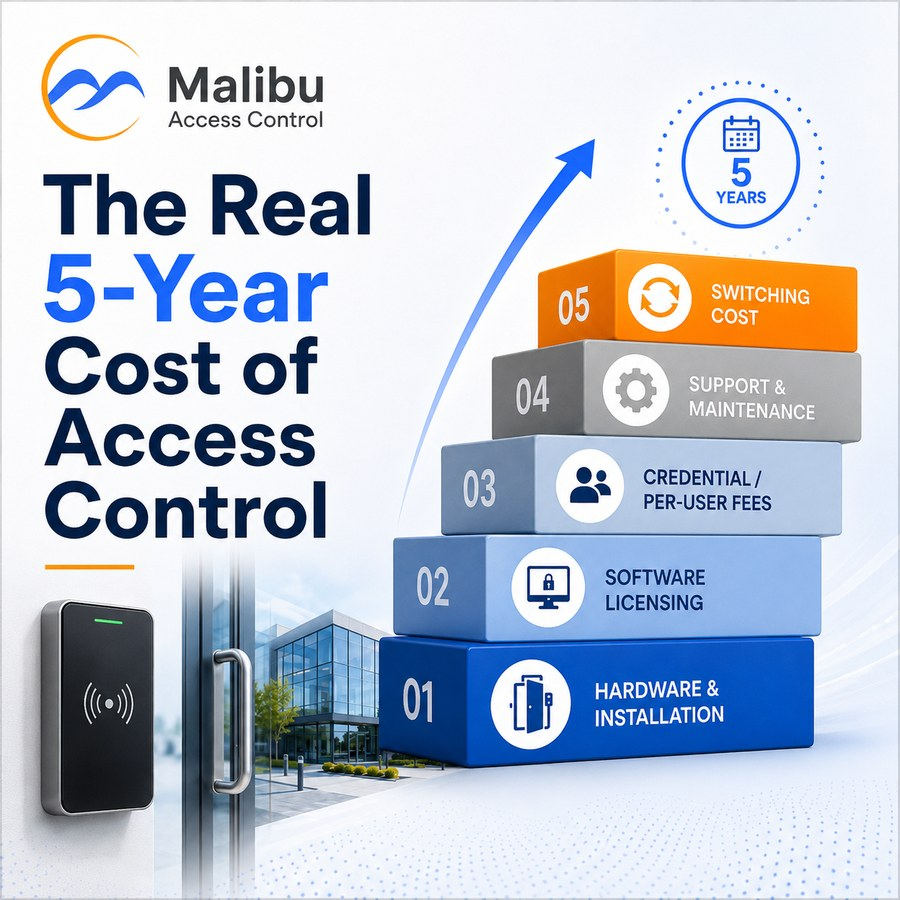
Every access control quote is really made up of five separate cost buckets. Some Dealers will walk you through all five up front. Others will only show you the first one — which is exactly why it’s worth asking.
1. Hardware and installation. This is the number on the quote: readers, controllers, locks, wiring, and the labor to put it all in. It’s real, it’s necessary, and it’s usually the easiest number to compare between Dealers.
2. Software licensing. This is where systems start to diverge. Some platforms require an ongoing license just to keep basic door access working. Others treat licensing as an optional add-on for extra features — backups, automatic updates, premium support — while the core system keeps running either way. The difference between these two models compounds every year you own the system.
3. Credential and per-user fees. Some systems charge per credential, per user, or per mobile device added to the system. On a small building this might be a rounding error. On a growing business — or one with employee turnover — it adds up fast, and it’s rarely spelled out clearly in a first quote.
4. Support and maintenance. What happens when a controller fails, a reader stops reading, or you need help reconfiguring permissions after a staff change? Ask what’s included and what’s billed separately, and ask specifically what happens outside of business hours.
5. The cost of switching. This is the one nobody puts on a quote, because it only shows up if you ever want to leave. If a system is proprietary — locked to one Dealer, one platform, or one hardware ecosystem — replacing it later can mean ripping out functioning equipment just to change providers. That’s a real cost, even though it never appears on paper until you’re paying it. If that’s where you already are, a switch doesn’t always mean starting over — upgrading from an old key fob system usually replaces the controller and leaves your readers, locks, and wiring in place.
Why the 5-Year Number Matters More Than the Install Price
Two systems with similar installation quotes can land in very different places five years out, depending on how many of those five categories are ongoing versus one-time. A system with low upfront cost but mandatory monthly licensing and per-credential fees can end up costing more over five years than a system with a higher install price but few ongoing obligations.
The fix is simple: before you sign anything, ask your Dealer to walk through all five categories and estimate a 5-year total — not just the install number. For the exact questions to ask, see our post on the 6 questions every business owner should ask an access control Dealer.
How Malibu Changes the Math
Malibu’s hybrid architecture is built so the ownership question and the cost question point the same direction. The hardware you buy is yours — licensed or not — and the system keeps controlling doors locally even if you never touch a subscription. Licensing on top of that is optional, priced for the extra value it adds (things like automatic nightly backups, a pre-loaded replacement controller if one fails, and automatic software updates) rather than as a toll you have to pay to keep your doors working.
That’s a different cost curve than a system where the meter is always running just to keep the basics on. If you want to see how it plays out for your specific building — number of doors, credential types, number of locations — that’s exactly the kind of conversation a certified Malibu Dealer can walk through with you.
Curious how the pieces fit together? Our post on access control basics covers what each component does, and Do You Really Own Your Access Control System? digs deeper into the ownership side of this same question.